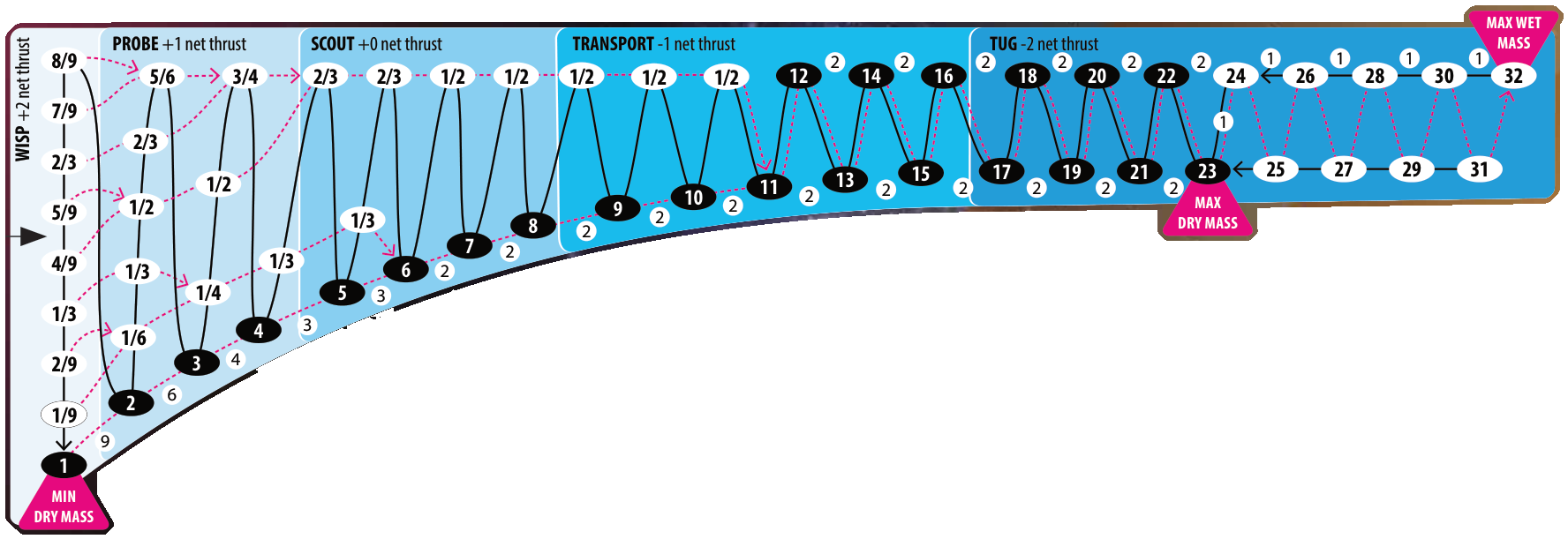
A cheating planning tool to optimise the fun out of the game.
Select start — Click any node on the map.
Select endpoint — Hover to preview, click to pin.
Clear routes — Press Esc, or use the Clear routes button (when panel hidden).
Switch routes — ←/→, the ◄/► arrows on the route card, or Prev/Next buttons.
Add engine — Click + Add Engine; configure thrust/fuel/pivots/solar. Hover ? glyphs for help.
Set ship loadout — Type Dry Mass and Fuel in the form, OR drag the red Dry / blue Wet chits on the fuel strip in the upper-left of the map. Each drag re-runs the planner.
Use filter — Press F or click the Filter header. Matching sites get a green hex outline; rest of map dims. ✕ or Shift+F resets.
Hide / show panel — Use the » / « button (top-right).
Rotate map — Press Q / E, use the ⟲ / ⟳ buttons (top-left), or twist with two fingers on a touchscreen.